Open Bio Page: a links page on your own domain
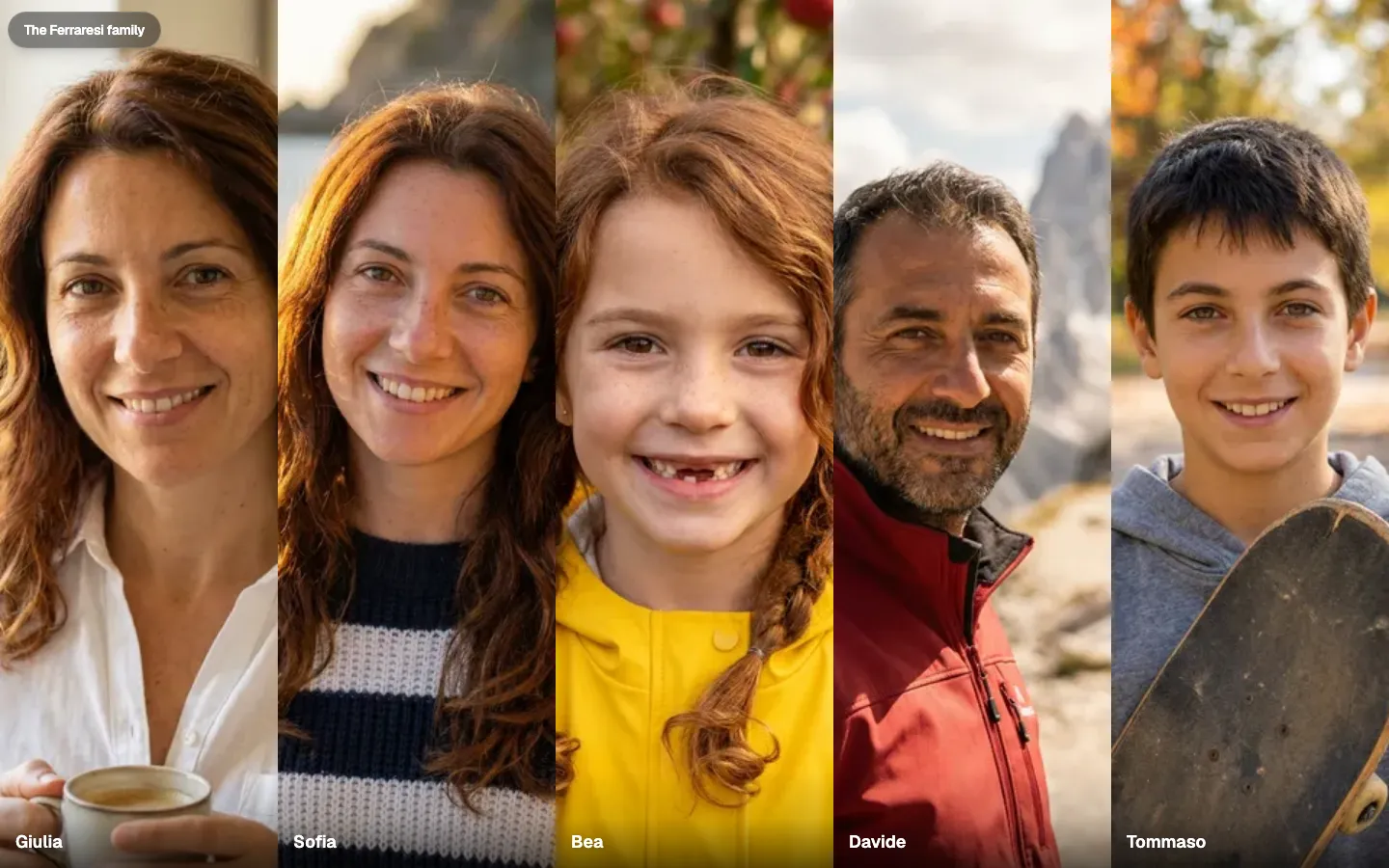
Why pay $10 or $30 a month for a basic, responsive links page with stats, when you can have it for free? On 7 October 2026 I published Open Bio Page as my answer to that question. It is an open-source, customizable links page that you put on a domain you already have.
A visitor opens the page, picks a person, and gets that person’s links. Each person gets a page with a portrait, a line about them, the links they want to hand out, and how they want to be presented. You can change all of it. That is why the same project can be a family links page or a company page.
One link under the bio
Instagram will not put a link in the caption of a post, so the profile gets one website slot. A whole habit grew up around that slot, which people open on a phone. Linktree is the page people rent for it. In Linktree’s own description, you sign up, add the shop, the newsletter, and the other profiles, then copy an address that is linktr.ee followed by your name. The free page can take a theme, colors, and a font, while a domain of your own is on the paid plan. Linktree says more than seventy million people use it.
The same page on a domain you control
A links page exists because the platform gave you one slot, yet the rented one still lives on someone else’s domain. Your own name in the address is on the paid plan. Open Bio Page is that same list of links, on a domain you already control. Visits, which link was opened, and where people came from show in the admin once you add a PostHog key. With no key, those figures stay at zero. There is no monthly charge for the page.
Files instead of an account
Open Bio Page keeps its content in files. Each person is a file in the project, while the brand, the domain, and the words on the home live in a second file. The build turns those files into one HTML page per person, each with its own title, so a crawler that does not run JavaScript still gets the page. GitHub Pages then serves those pages from your domain. If you want a login later, each person’s login saves only that person’s file. Visitors never need one.
What you can change
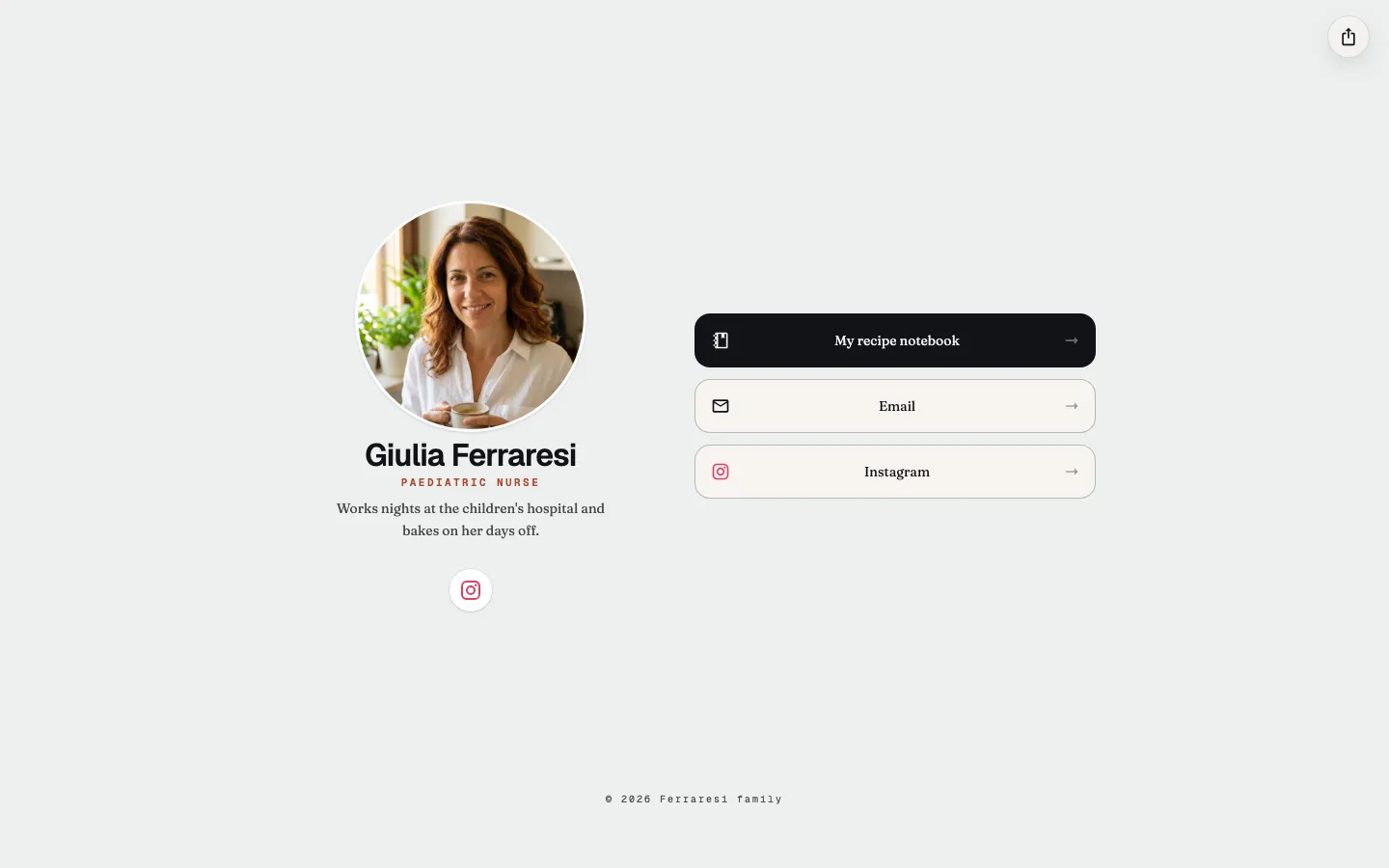
The picture here is one person’s page, while the picture at the top of this article is one home, where a visitor picks a person. Both are built from parts you can change, starting with the name of the directory and who appears on it. For each person you can change the portrait, the short line in their own words (in English and Italian, if you want both), and the links, including which one should be opened first. You can also change the type, the colors, and whether a page is one column or two. A family directory and a company page are the same files with different names in them.
It started as a family page
I made the first one for my family. Open Bio Page is that page with the names taken out, so someone else can put their own in. The docs include a few examples, a family and a few small teams, so you can see the range before you change anything.
Publishing it with an agent
If you want a copy published for you, the docs home has a prompt for that. You choose Family or personal, or Company or team, then copy the prompt or open it in Claude Code, Codex, Cursor, Claude, or ChatGPT. The agent asks once for your domain and for each person, then publishes the site, keeping the wording you give it. If you have no domain, the agent stops. The same steps are written out at Create your bio, for when you would rather do them yourself. The code is on GitHub.